
simtools-plot-camera#
Plot the camera of the requested telescope.
The orientation for the plotting is “as seen for an observer facing the camera”.
An example of the camera plot can be found below.

Command line arguments
- site (str, required)
North or South.
- telescope (str, required)
Telescope model name (e.g. LST-1, SST-D, …)
- model_version (str, optional)
Model version
- camera_in_sky_coor (bool, optional)
- Plot the camera layout in sky coordinates akin to looking at it from behind for single
mirror telescopes
- print_pixels_id (bool, optional)
- Up to which pixel ID to print. To suppress printing of pixel IDs, set to zero
(–print_pixels_id 0). To print all pixels, set to ‘All’.”
Example
LST - 5.0.0
simtools-plot-camera --site North \\
    --telescope LSTN-01 --model_version 5.0.0
The output is saved in simtools-output/plot_camera.
Expected final print-out message:
Saved camera plot in /workdir/external/simtools/simtools-output/plot_camera\\
/application-plots/plot_camera_LST-1_pixel_layout.png
Trigger-patch plots#
Select patch group IDs directly, or show all patches containing a pixel:
simtools-plot-camera --site North --telescope LSTN-design \
  --model_version 7.0.0 --trigger_patches 0 1 2
simtools-plot-camera --site North --telescope LSTN-design \
  --model_version 7.0.0 --trigger_pixel 75
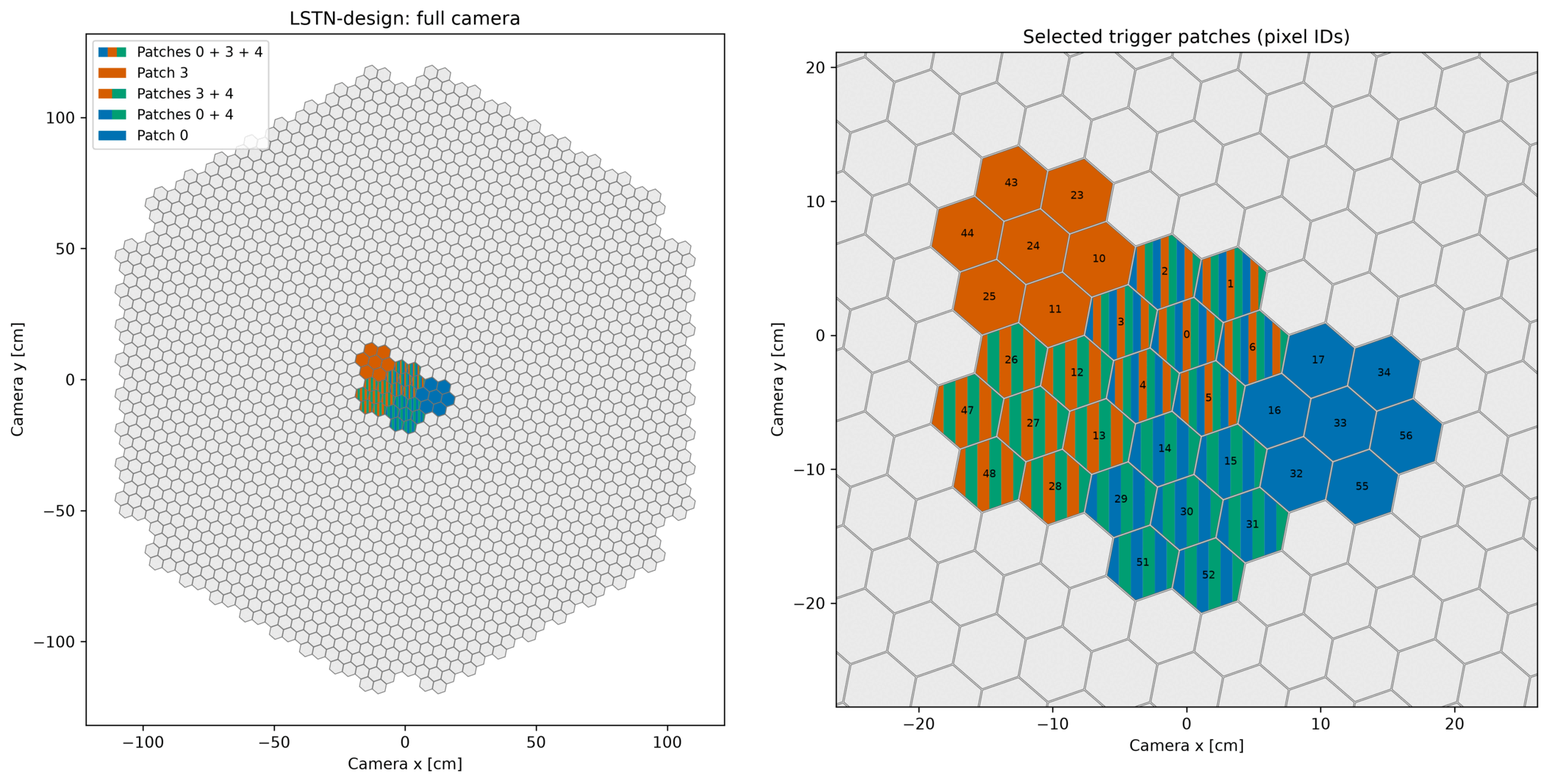
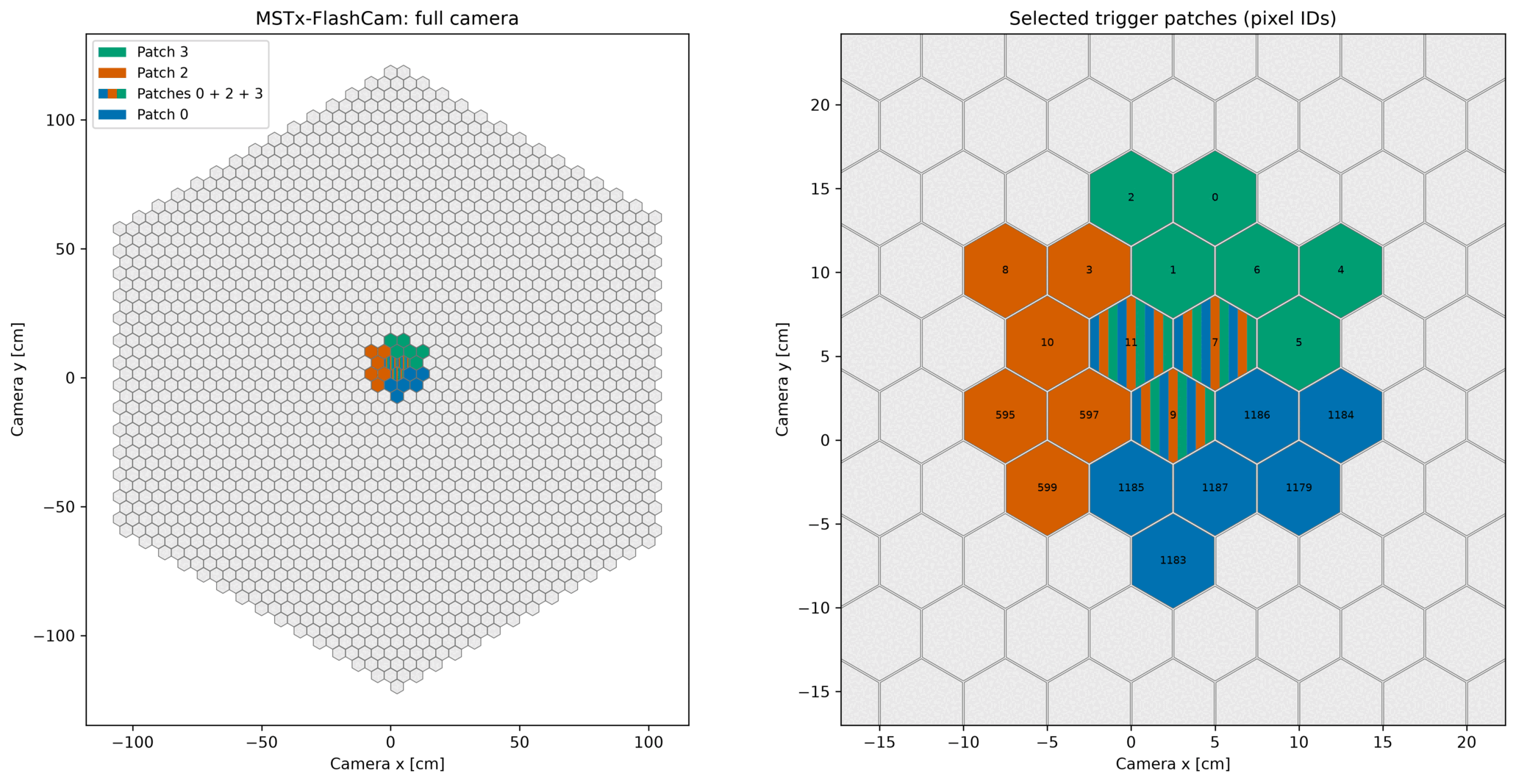
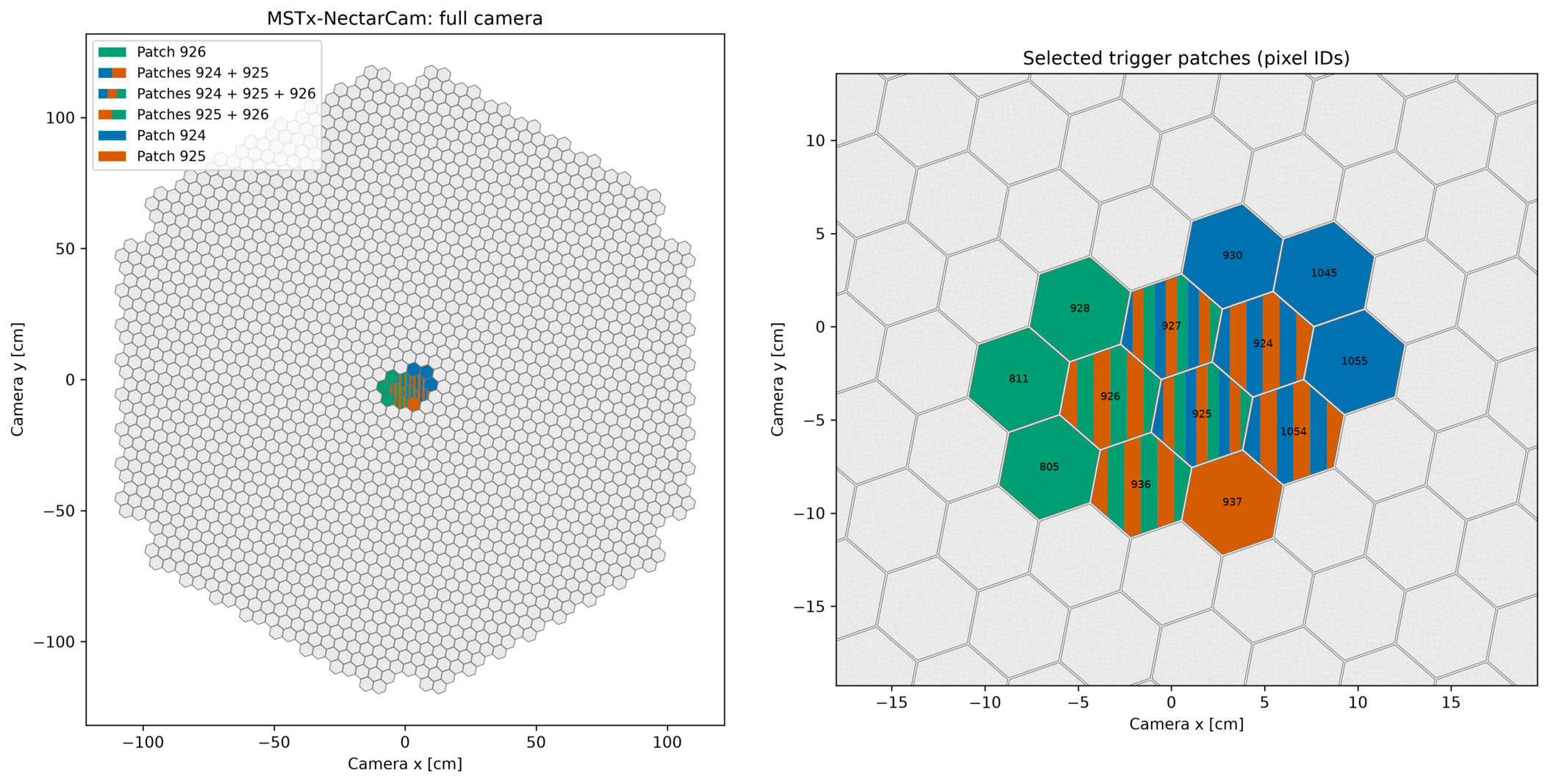
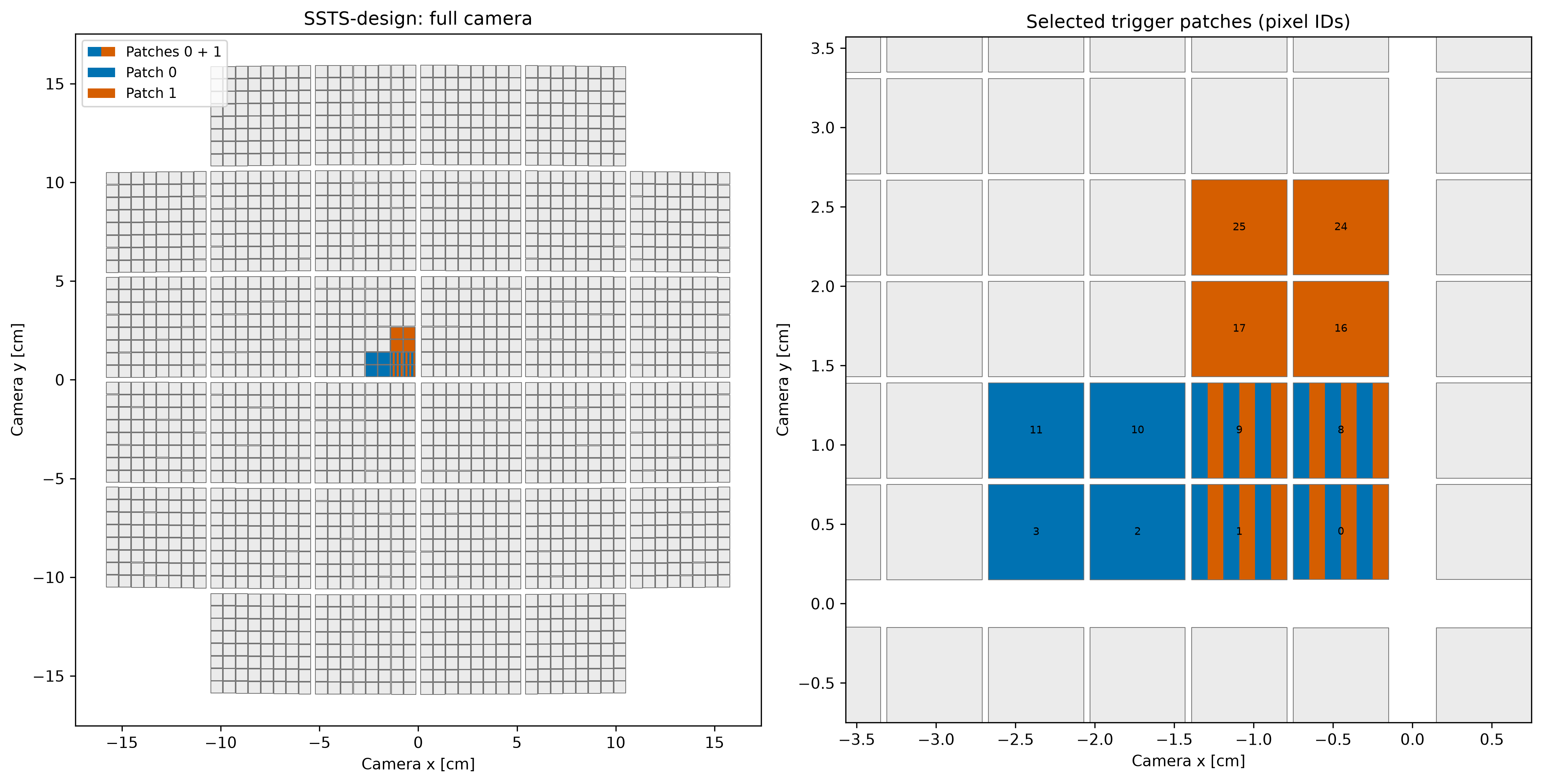
Patch IDs are group_id values from the model. The plot shows an overview and a
labelled close-up; overlaps use stripes. The options are mutually exclusive. For
LSTN-design model 7.0.0, select at most six patches per plot.
Telescope and selection |
Telescope and selection |
|---|---|
LSTN-design (North), groups 0, 3, 4 |
MSTx-FlashCam (North), groups 0, 2, 3 |
MSTx-NectarCam (North), groups 924, 925, 926 |
SSTS-design (South), groups 0, 1 |
options#
- –help
show this help message and exit
- –trigger_pixel
Highlight every trigger patch containing this model pixel ID.
- –trigger_patches
Highlight distinct model trigger-group IDs, with a labelled close-up. The maximum is the model’s largest number of patches sharing a pixel (six for LST).
- –camera_in_sky_coor
Plot the camera layout in sky coordinates (akin to looking at it from behind for single-mirror telescopes)
- –print_pixels_id
Highest pixel ID to print. Use zero (–print_pixels_id 0) to suppress pixel IDs, or ‘All’ to print every pixel.
Default: 50.
simulation model#
- –model_version
Simulation production model version(s). Use –show_options model_version.
- –overwrite_model_parameters
JSON string with model parameters to overwrite
- –site
Observatory site (e.g., North, South). Use –show_options site.
- –telescope
telescope model name (e.g., LSTN-01, SSTS-design, …)
model repository#
- –simulation_models_path
Path containing the simulation-model repository to read.
- –simulation_models_git_path
Path to a local normal, bare, or mirror Git repository containing simulation models.
- –simulation_models_git_revision
Git tag, ref, or commit to read from the simulation-model repository.
application#
- –show_options
Print available values for a supported option and exit.
Example#
Plot the NectarCam camera#
Compare the MST NectarCam pixel layout with the simulated camera field of view and produce diagnostic plots.
Application: simtools-plot-camera
Integration test: plot_camera_run.yml
Command
simtools-plot-camera --config tests/integration_tests/config/plot_camera_run.yml
Configuration
figure_format:
- pdf
- png
model_version: 6.0.2
output_path: simtools-output
site: North
telescope: MSTx-NectarCam